Universal data handling
Extract measured dimensions from point clouds, polygonal models or probed points, and nominal dimensions from a CAD model or a measured reference part.

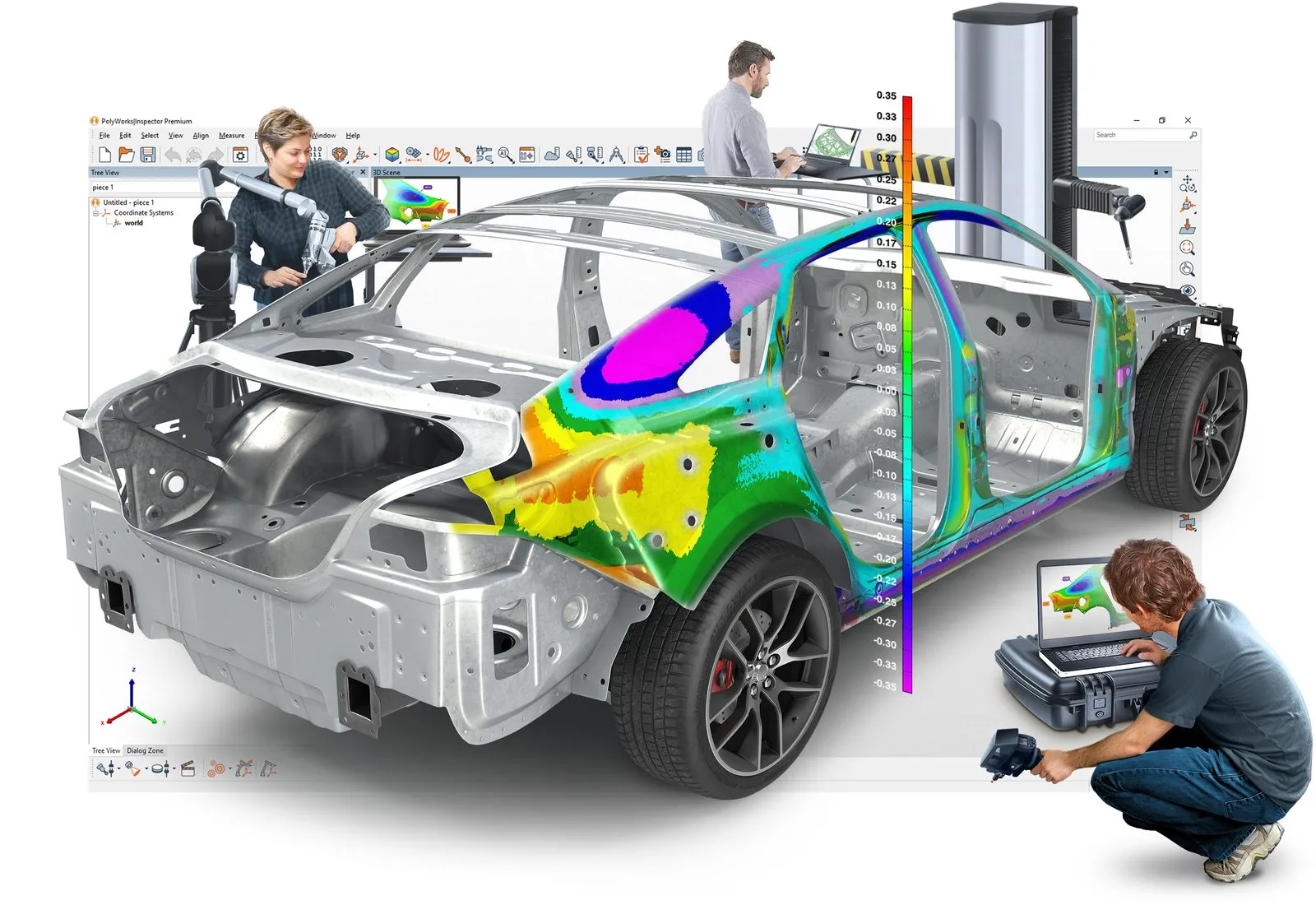
PolyWorks|Inspector 2026
PolyWorks|Inspector is universal 3D dimensional analysis and quality control software from InnovMetric. Quality teams use it to check tool and part dimensions, diagnose and prevent manufacturing and assembly problems, guide assembly with real-time measurements, and track the quality of finished products.
What sets it apart is that one inspection project runs on any device. The same workflow drives portable arms, laser trackers, handheld 3D scanners and CNC CMMs, and it works with or without a CAD model. Measure point clouds, polygonal meshes or probed points, compare them to CAD or to a reference part, and report the results in one place.
The current release, PolyWorks 2026, adds a CT scanning module for multipiece inspection, real-time integration of portable multi-line scanners, native support for 5-axis probe heads, and a web-based app for collecting handheld gauge readings and visual checks on the shop floor.
What it does
At the core of PolyWorks|Inspector is an inspection engine with parametric data handling and mathematical algorithms certified by PTB, Germany's national metrology institute.
Extract measured dimensions from point clouds, polygonal models or probed points, and nominal dimensions from a CAD model or a measured reference part.
A GD&T engine built on the ASME and ISO standards, with advanced datum reference frames, material condition and datum modifiers, and radial, unequal bilateral and unilateral tolerance zones. See how GD&T works on scan data.
Compare surface, boundary, cross-section and thickness deviations against nominal and read them at a glance on a color map.
Constrained surface and cross-section best-fits, best-fit within tolerance, and alignments built from features, datum targets, reference targets or flush and gap gauges.
Measure radius, angle, bending, flush and gap on sheet metal assemblies and fillets. An optional airfoil module analyzes fan, compressor and turbine blades.
AS9102 and PPAP-compliant first article inspection reports, control views, and SPC trend charts across multiple pieces. Export to PDF, Excel, Word or HTML. Read our FAI workflow guide.
Portable metrology
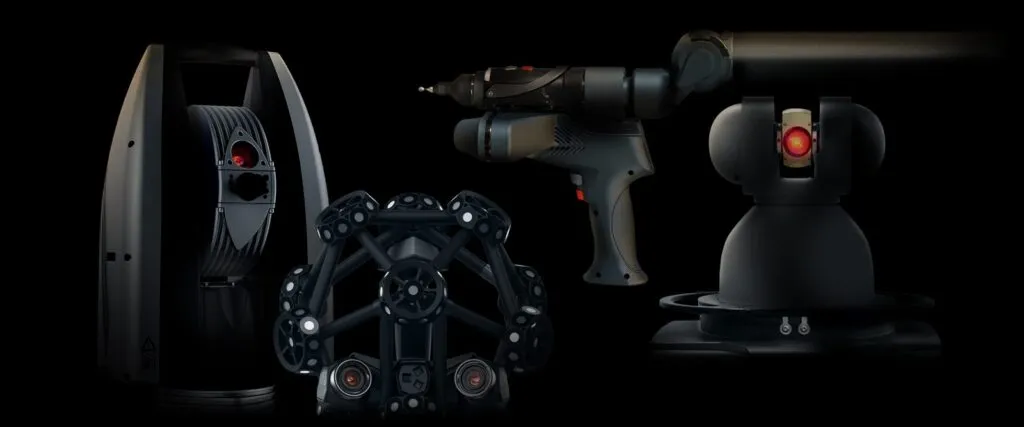
InnovMetric is known for the power and stability of its direct hardware interfaces. Plug in a portable device and inspect without exporting or converting data.
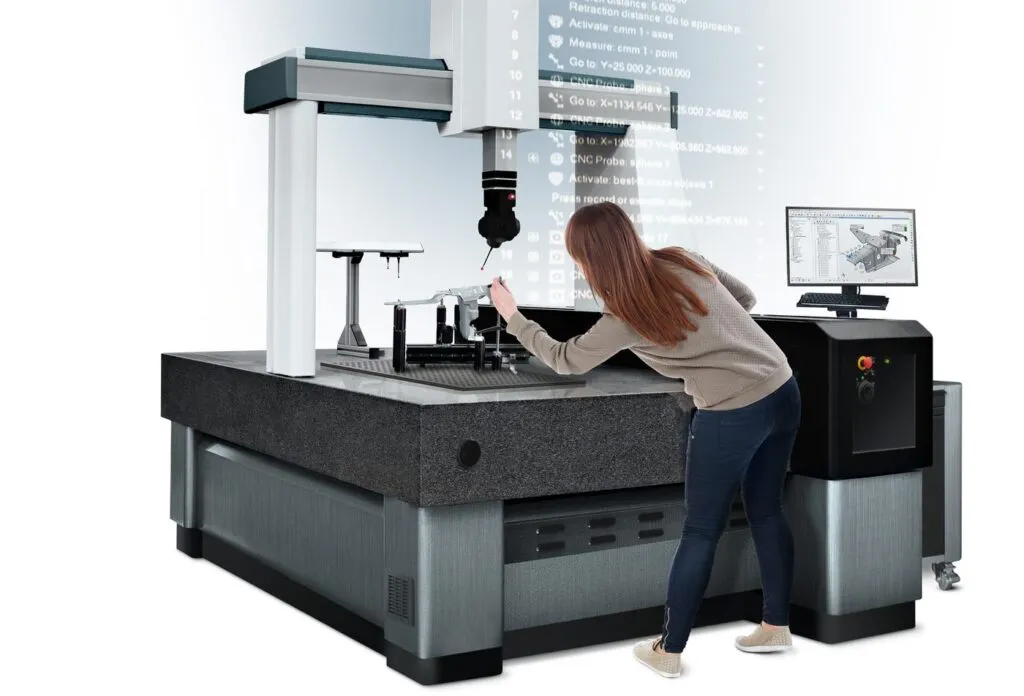
CNC CMM
PolyWorks|Inspector brings the same workflow to CNC CMMs that it uses for portable devices. Nominal features, dimensions and reports are managed outside the sequence editor, so sequences stay short and easy to read.
Deciding between a CMM and a scanner? Read 3D scanning vs. CMM.
Universal workflow
Inspection projects in PolyWorks|Inspector are not tied to the device that created them. Plan once and the project plays back on whatever is available on the floor.

How it works
Connect your device live, or import point clouds and meshes. Load the CAD model with its GD&T, or use a measured part as the reference.
Best-fit the data to nominal, or align on features, datum targets and reference points.
Apply GD&T controls, feature dimensions, color maps, cross-sections and flush and gap gauges.
Generate FAI and SPC reports, share them, then replay the same inspection on the next piece.
Packages
Every package includes the alignment, dimensional control, Smart GD&T, reporting and SPC toolsets. The difference is which measurement devices it can drive.
| Feature | Premium | Standard | Probing++ | Probing | Gauging |
|---|---|---|---|---|---|
| Portable single-point devices Articulated arms, optically tracked probes, laser trackers, manual CMMs | Included | Included | Included | Included | Not included |
| CNC CMM single-point probing Direct controller drivers plus I++ in CNC mode | Included | Not included | Included | Not included | Not included |
| Portable point cloud digitizers Laser line, fringe projection and long-range scanners, plus native file import | Included | Included | Not included | Not included | Not included |
| Laser scanning on CNC CMMs | Included | Not included | Not included | Not included | Not included |
| CT scanner data module Import, segment and mesh CT data | Option | Option | Not included | Not included | Not included |
| Digital gauges, manual entry and visual checks | Included | Included | Included | Included | Included |
| Real-time and offline point cloud meshing | Included | Included | Not included | Not included | Not included |
| PolyWorks|Modeler Standard (with NURBS surfacing) in Premium, Light in Standard | Standard | Light | Not included | Not included | Not included |
| PolyWorks|AR plug-in Mixed reality on Microsoft HoloLens | Included | Not included | Not included | Option | Option |
| Native CAD translators CATIA, NX, Creo, Inventor and SolidWorks, with PMI where supported | Option | Option | Option | Option | Not included |
| Airfoil gauges Fan, compressor and turbine blades | Option | Option | Option | Option | Not included |
| Alignment, GD&T, reporting, SPC, simulation mode Plus Play Inspection and the Sequence Editor | Included | Included | Included | Included | Included |
| One year of support and maintenance New releases, monthly updates, technical support, MyPolyWorks access | Included | Included | Included | Included | Included |
| Two seats at InnovMetric Basic training Classroom training; travel not included | Included | Included | Included | Included | Not included |
Package contents as published by InnovMetric. Not sure which one fits? Tell us your devices and parts and we will recommend a package.
Compatibility
PolyWorks|Inspector connects to hardware through direct plug-ins, and it reads 38 point cloud file formats for everything else.
Using a scanner from us? SCANOLOGY (formerly Scantech) is on InnovMetric’s plug-in list for optically tracked probing and mesh scanning, which covers scanners like the TrackScan Sharp-S and TrackScan GO. Scans from Artec scanners come in through standard mesh and point cloud files exported from Artec Studio. Browse all SCANOLOGY scanners.
The PolyWorks platform
Results do not have to stay on the inspection workstation. These PolyWorks tools put them in front of the rest of the team.

A free viewer for PolyWorks|Inspector projects. Engineering and manufacturing teams can review 3D results, investigate dimensional issues and share findings with suppliers and customers.
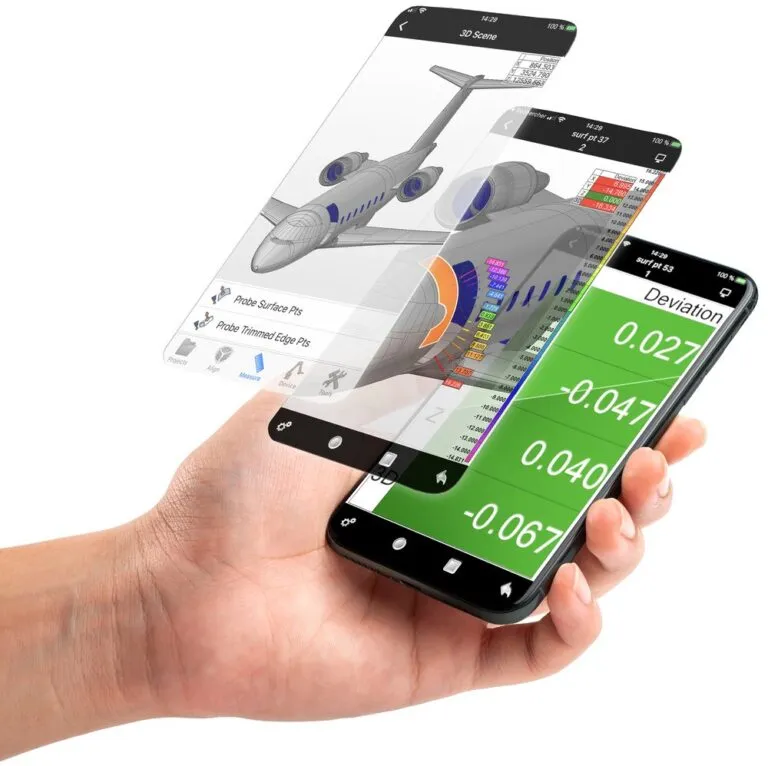
A free smartphone and tablet app that controls PolyWorks|Inspector over secure Wi-Fi, so operators can run a measurement session at the part instead of walking back to the computer.
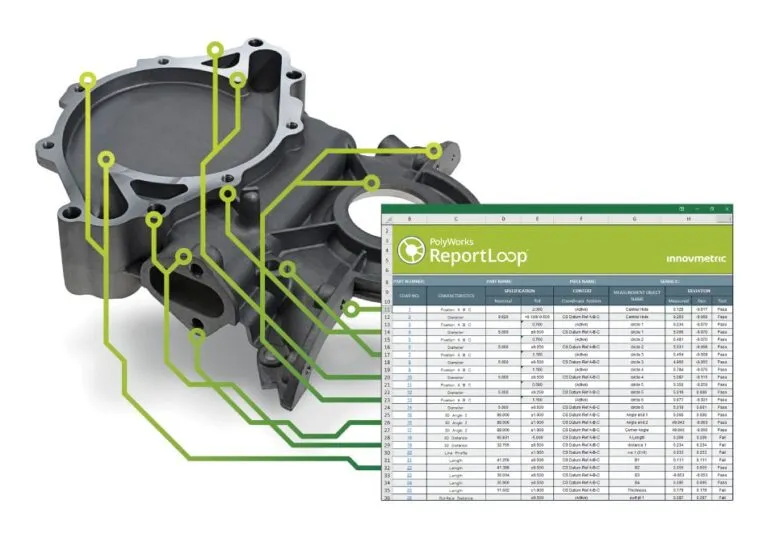
Free Excel-based reporting. Link spreadsheet cells to items in Inspector projects so your corporate report templates update automatically, and run measurement system analysis and gauge R&R studies.
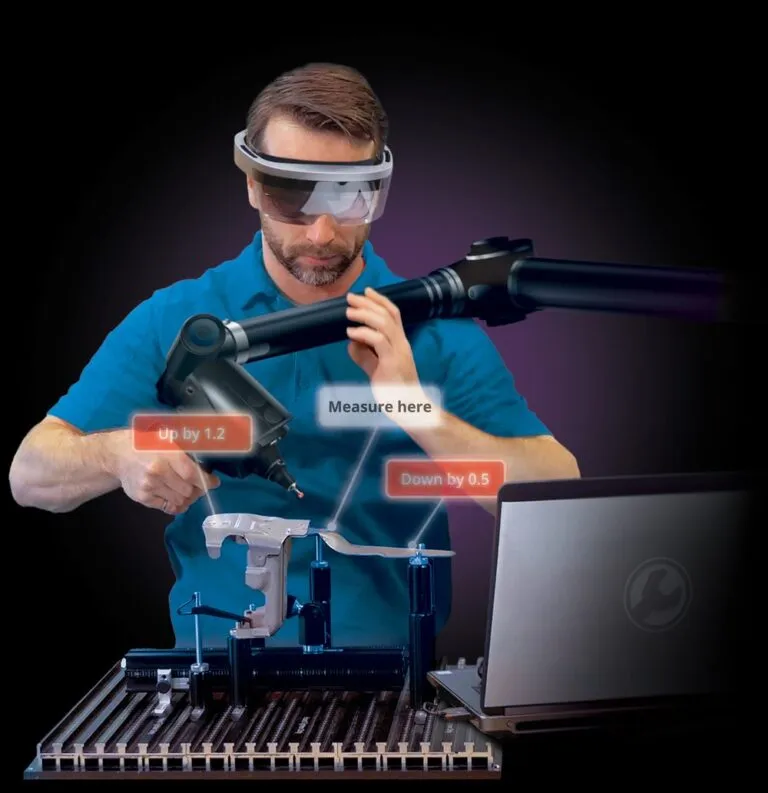
A mixed reality plug-in for Microsoft HoloLens that overlays measurement results and guidance graphics on the physical part. Included with Premium and optional on Probing and Gauging.
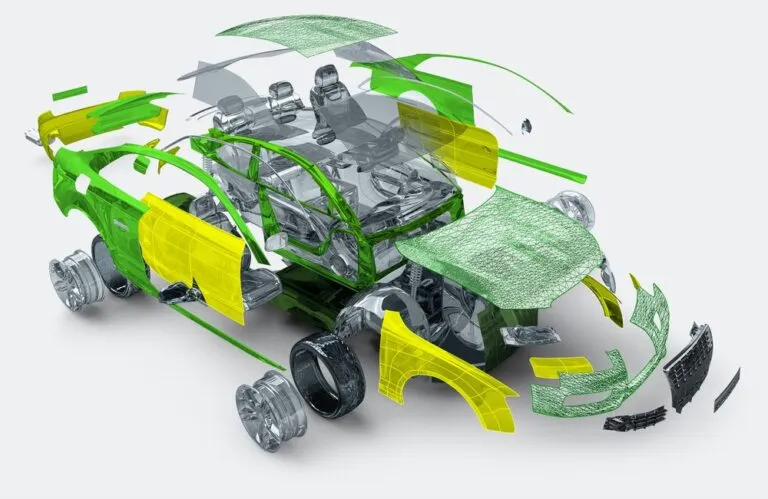
Reverse engineering for scanned parts: repair meshes, fit NURBS surfaces and extract curves and sketches for your CAD software. Need a model built for you instead? See our 3D scanning and reverse engineering services.
Central data management for inspection projects, templates and results across sites and suppliers. New in 2026: DataLoop Cloud, a hosted SaaS version with no server to set up or maintain.
PolyWorks® image courtesy of InnovMetric Software
Technical specifications
Current requirements as published by InnovMetric. Point clouds and large CAD files are demanding, so plan around the recommended configuration if you scan.
For single-point probing devices and CAD files under 50 MB.
For large CAD models and high-resolution laser scanning.
Buying a workstation for scanning? Ask us before you order and we will check the spec.
Why buy from us
We sell, set up and support 3D scanners and inspection software together, so you have one team to call for the whole workflow.
Try PolyWorks|Inspector on your own parts before you commit.
Training, technical support and updates are included with all software we sell.
Pair PolyWorks with a scanner we sell and set up, and keep one point of contact.
Not ready to buy? Our 3D inspection service measures parts for you.
Request a free trial, or talk to one of our engineers about your parts, your measurement devices and the reports you need to produce.
Already a PolyWorks user? Renew your license or maintenance.
PolyWorks|Inspector is 3D dimensional analysis and quality control software. Manufacturers use it to check part and tool dimensions against CAD, apply GD&T, find the cause of manufacturing and assembly problems, guide assembly with live measurements, and produce inspection reports such as AS9102 first article inspections.
PolyWorks 2026, released in April 2026, adds a CT scanning module for multipiece inspection, real-time integration of portable multi-line scanners, native 5-axis probe head support with collision analysis, a web-based app for handheld gauge and visual check data, license sharing across sites, and DataLoop Cloud, a hosted version of PolyWorks data management.
Pricing is quoted. It depends on the package (Premium, Standard, Probing++, Probing or Gauging), the options you add, such as native CAD translators, CT or airfoil gauging, and the license type. Contact us for a quote or start with a free trial.
It comes down to your devices. Premium drives everything, including CNC CMMs and point cloud scanners. Standard covers portable probing and portable 3D scanners. Probing++ adds CNC CMM probing to portable probing, without scanning. Probing is for portable probing devices only, and Gauging is for digital gauges, manual entry and visual checks. All of them include the full alignment, GD&T, reporting and SPC toolsets.
Very likely. InnovMetric publishes direct plug-ins for scanners and trackers from Creaform, Faro, Hexagon, Keyence, Leica, Nikon, Scantech (SCANOLOGY), Shining 3D, Zeiss and others, and PolyWorks reads 38 point cloud file formats for devices without a plug-in. Artec scans can be exported from Artec Studio in standard formats and inspected in PolyWorks.
Yes, with the Premium or Probing++ package. It connects to major CMM controllers through direct drivers, to Zeiss through CMM-OS, and to any brand through I++. The sequence editor plans tool orientations and collision-free paths, and a conversion tool adapts a sequence to a different CMM.
Yes. Nominal dimensions can come from a CAD model or from a measured reference part, and the inspection workflow works either way.
Yes. It produces AS9102 and PPAP-compliant first article inspection reports, with a control list sorted by characteristic and results shown in 3D. Reports export to PDF, Excel, Word and HTML.
A 64-bit Windows 11 Pro or Windows 10 Pro 22H2 PC. The minimum is a quad-core x64 processor, 8 GB of RAM and a professional OpenGL graphics card with 1 GB of memory. For scanning, InnovMetric recommends a Core i7 class processor, 32 GB of RAM or more and a professional NVIDIA RTX or Quadro card. Gaming cards and ARM processors are not supported.
Yes. Training, technical support and updates are included with all software we sell. Every package except Gauging also includes two seats at an InnovMetric Basic classroom training at their Quebec City headquarters or a PolyWorks USA training center (travel not included).
Yes. PolyWorks|Reviewer is a free app for opening PolyWorks|Inspector projects, reviewing 3D results and sharing findings. PolyWorks|Talisman (remote control from a phone or tablet) and PolyWorks|ReportLoop (Excel reporting) are also free.
PolyWorks® images courtesy of InnovMetric Software.