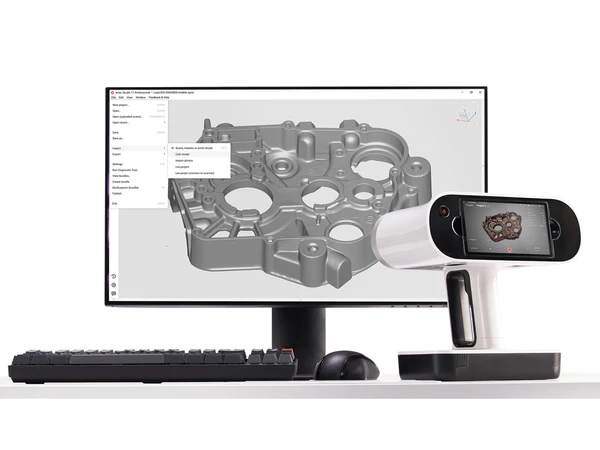
3D scanning with live feedback
Scan with any Artec 3D scanner and see the model build as you go. Real-time Fusion supports Leo, Eva, Space Spider and Spider II, and AI-powered HD Mode works with Leo, Eva and Micro II.

Artec Studio 20
Artec Studio is Artec 3D’s software for capturing and processing 3D data. Connect an Artec scanner and watch the scan build in real time, or bring in data from Artec Leo and Ray II, photos, video, meshes and point clouds. Then clean it up, measure it, compare it to CAD or turn it into CAD surfaces, all without changing programs.
Working with whole sites or massive datasets? Artec Twins includes everything in Artec Studio plus tools for large environments, so with Twins you do not need Studio as well.
The current release, Artec Studio 20, launched in September 2025. It added Workflows, customizable processing pipelines that run in one click, plus HD Mode and three-axis support for Micro II, Real-time Fusion and Autopilot for Spider II, and RCP export for BIM tools such as Autodesk Revit.
The Artec Studio 20.3 update (January 2026) added direct export to PolyWorks|Inspector, mask-free AI Photogrammetry, point decimation for Spider II and E57 panorama export for Ray II.
What it does
Artec Studio covers the whole path from raw data to a finished mesh or CAD file, and Artec Studio holds PtB certification.
Scan with any Artec 3D scanner and see the model build as you go. Real-time Fusion supports Leo, Eva, Space Spider and Spider II, and AI-powered HD Mode works with Leo, Eva and Micro II.
Turn photos or video from any camera, drone or phone into a textured 3D model. Choose a mask-free algorithm for close-up capture, a masked one for objects you flip or rotate, or classic photogrammetry.
Line up processing steps once and run them in one click. Artec says Workflows make processing up to 70% faster. Annual subscribers can also trigger them with scripting for batch jobs.
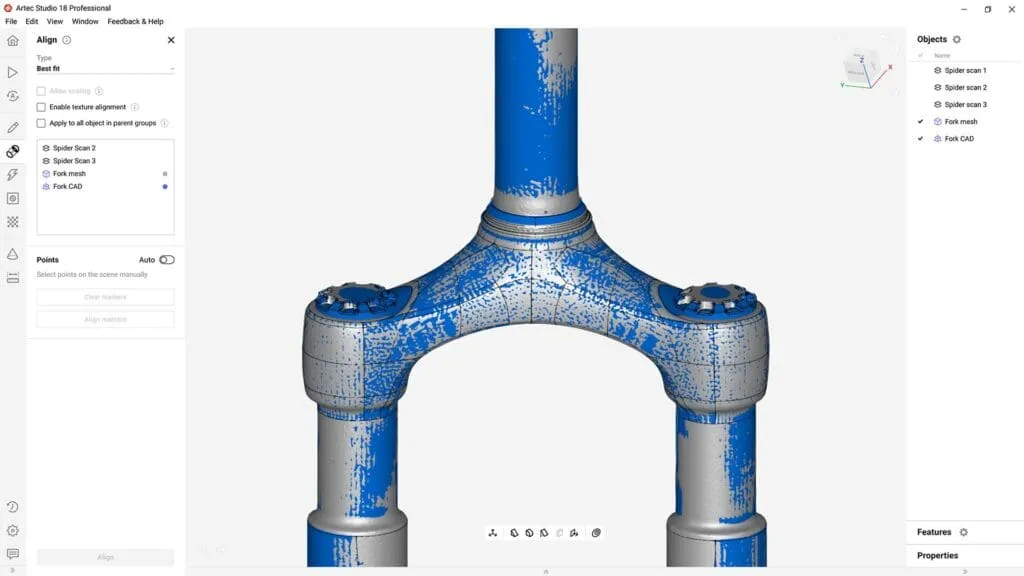
Import STEP, IGES, SAT or X_T files, align the scan to CAD automatically or by datums, and check deviations with distance maps, thickness maps, 2D sections and Tolerance Check mode.
Fit cylinders, spheres, cones, planes and tori, autosurface a mesh into CAD patches, and use Booleans, draft angles, chamfers and fillets before you export to CAD.
Take linear, geodesic, section and volume measurements and export them as CSV, DXF or XML. Send meshes and primitives straight to PolyWorks|Inspector, SOLIDWORKS, Geomagic Design X or Geomagic Control X.
3D scanning
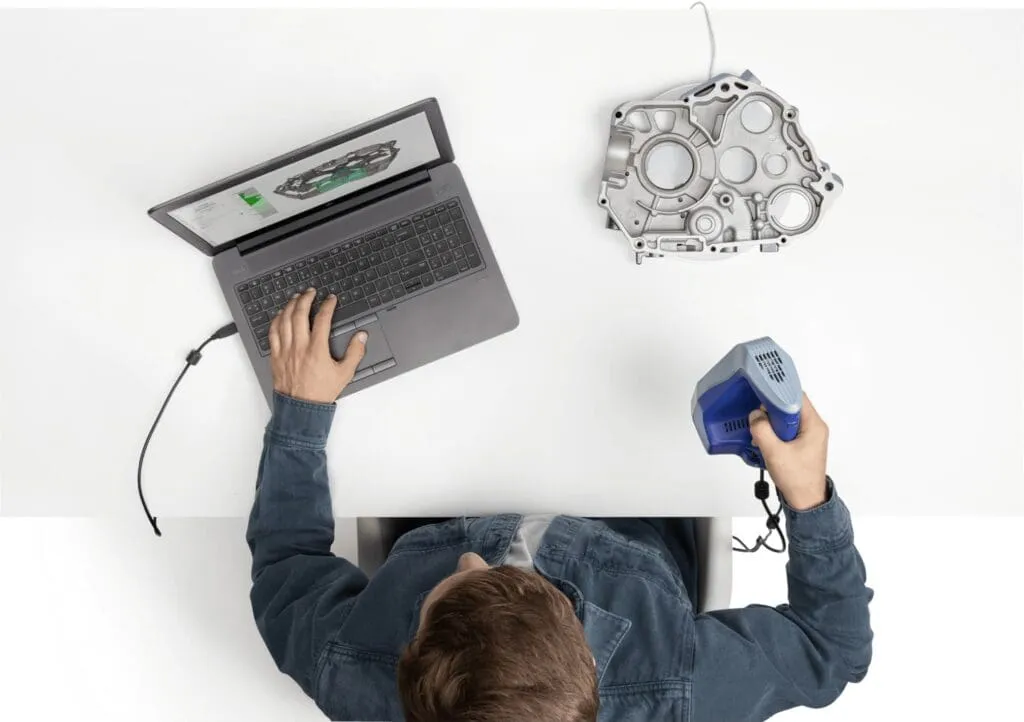
Artec Studio is the software every Artec 3D scanner runs on. Tethered scanners such as Eva, Spider II and Micro II show results live on your computer, and data from Leo and Ray II uploads straight into a project.
Quality inspection
Inspection starts inside Artec Studio. Import the CAD model, align the scan to it, and read the deviations on a color map with minimum and maximum labels.
When you need full GD&T and formal reports, Artec Studio 20.3 exports meshes, point clouds and CAD primitives directly to PolyWorks|Inspector. Direct export to Geomagic Control X is also built in.
Reverse engineering
Artec Studio includes the reverse engineering tools most parts need before they go to a CAD program.
Need the CAD model built for you? See our reverse engineering services.
How it works
Scan live with an Artec 3D scanner, or upload Leo and Ray II scans, photos or video.
Run Autopilot or a saved Workflow to build a watertight, lightweight mesh.
Edit and polish the surfaces, or convert the mesh into CAD data.
Measure and inspect, then export for further analysis or modeling.
Plans
Pro is the full package for scanner owners, as a subscription or a lifetime license. Lite builds models from photos and video only.
| Feature | Pro | Pro Lifetime | Lite |
|---|---|---|---|
| License Pro includes major feature updates. Pro Lifetime gives permanent access to the version you buy. | Annual subscription | One-time purchase | Monthly or yearly subscription |
| 3D scanning with Artec scanners Capture, Real-time Fusion, HD Mode, Autopilot | Included | Included | Not included |
| AI Photogrammetry Mask-free, masked and classic algorithms | Included | Included | Included |
| Inspection tools Mesh-to-CAD alignment, deviation and thickness maps, Tolerance Check mode | Included | Included | Included |
| Reverse engineering tools CAD primitives, autosurfacing, Booleans, fillets and chamfers | Included | Included | Included |
| Direct export to SOLIDWORKS, Design X and Control X | Included | Included | Included |
| Export file formats Lite has a shorter list of mesh and point cloud formats | Full list | Full list | Shorter list |
| Scripting Run Workflows from the command line for batch processing | Included | Not included | Not included |
Plan contents as published by Artec 3D. Lite Individual is for personal, non-commercial use and Lite Business is for paid work. Not sure which plan fits? Tell us about your scanner and your work and we will recommend one.
Compatibility
Artec Studio runs every current Artec 3D scanner and reads and writes the common mesh, point cloud and CAD formats.
Buying a scanner from us? Every Artec 3D scanner we sell runs on Artec Studio, from the Artec Leo to the Artec Point II and Artec Neo. Browse all Artec 3D products.
Technical specifications
Requirements as published by Artec 3D. They differ by capture device, so check the scanner you plan to use.
Artec's minimum configuration.
Artec's recommended configuration.
Buying a workstation for scanning? Ask us before you order and we will check the spec.
Why buy from us
We sell, set up and support 3D scanners and software together, so you have one team to call for the whole workflow.
Try Artec Studio 20 free for 30 days. The trial has full Pro features but cannot save or export projects.
Training, technical support and updates are included with all software we sell.
Pair Artec Studio with an Artec 3D scanner from us and keep one point of contact.
Not ready to buy? Our 3D scanning services capture and model parts for you.
Request a free trial, or talk to one of our engineers about your scanner, your parts and the files you need to deliver.
Already an Artec Studio user? Upgrade or renew your license.
Artec Studio 20 captures and processes 3D data. You can scan with an Artec 3D scanner or build a model from photos and video, then clean up the mesh, measure it, compare it to CAD for inspection, or convert it into CAD surfaces for reverse engineering.
Artec Studio 20, released in September 2025, added Workflows for automated processing, scripting for annual subscribers, Real-time Fusion and Autopilot for Spider II, HD Mode and three-axis support for Micro II, refined masking and multi-camera support in AI Photogrammetry, and RCP export for BIM tools. The 20.3 update in January 2026 added direct export to PolyWorks|Inspector, mask-free AI Photogrammetry, point decimation for Spider II and E57 panorama export for Ray II.
As of October 2026, Artec Studio 20 is the current major version on Artec 3D’s site. Artec releases a new major version about once a year and updates the current one in between. Ask us about upgrading from an older version.
Pricing is quoted. It depends on the plan (Pro subscription, Pro Lifetime or Lite), whether you buy it with a scanner, and the license type. Contact us for a quote or start with the free trial.
Yes. Artec offers a 30-day trial with full access to Artec Studio Pro, including 3D scanning and photogrammetry. Projects cannot be saved or exported during the trial.
All current Artec 3D scanners: Eva, Leo, Spider II, Micro II, Point II, Ray II, Metrology Kit and Neo, plus earlier models such as Space Spider, Spider, Micro and Ray. Artec Studio can also combine data from several Artec scanners in one project.
Yes. AI Photogrammetry turns photos or video from any camera-equipped device, including a phone or drone, into a textured 3D model. If photogrammetry is all you need, Artec Studio Lite is the plan built for it. Photogrammetry is less accurate than 3D scanning, so use a scanner for inspection and reverse engineering.
Pro is an annual subscription that includes major feature updates, new algorithms and scripting. Pro Lifetime is a one-time purchase with permanent access to the version you buy, without scripting.
Yes. Artec Studio exports fitted primitives and meshes directly to SOLIDWORKS and Geomagic Design X, exports to Geomagic Control X and can run Control X inspections from inside Artec Studio. Since version 20.3 it also exports meshes, point clouds and CAD primitives directly to PolyWorks|Inspector.
A 64-bit Windows 10 or Windows 11 PC. Artec lists a 12th Gen Intel Core i9, an NVIDIA RTX 4060 with 8 GB and 32 GB of RAM as the minimum, and a 13th or 14th Gen Core i7 or i9 with an RTX 4070 as recommended. Requirements vary by scanner.
Yes. Training, technical support and updates are included with all software we sell. Artec also runs 24/7 online support for Artec Studio.