Neutral CAD and scan files
Import and export neutral CAD (IGES, STEP and similar) and neutral scan files (STL, PTS and similar). Scan, mesh and region tools such as merge, fill holes and noise filtering are included.

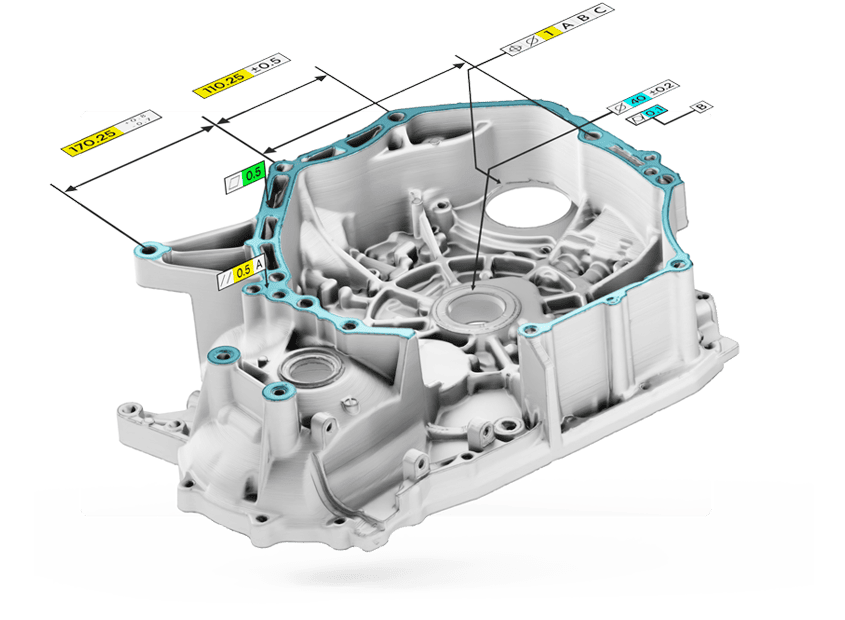
Control X Essentials 2026.1
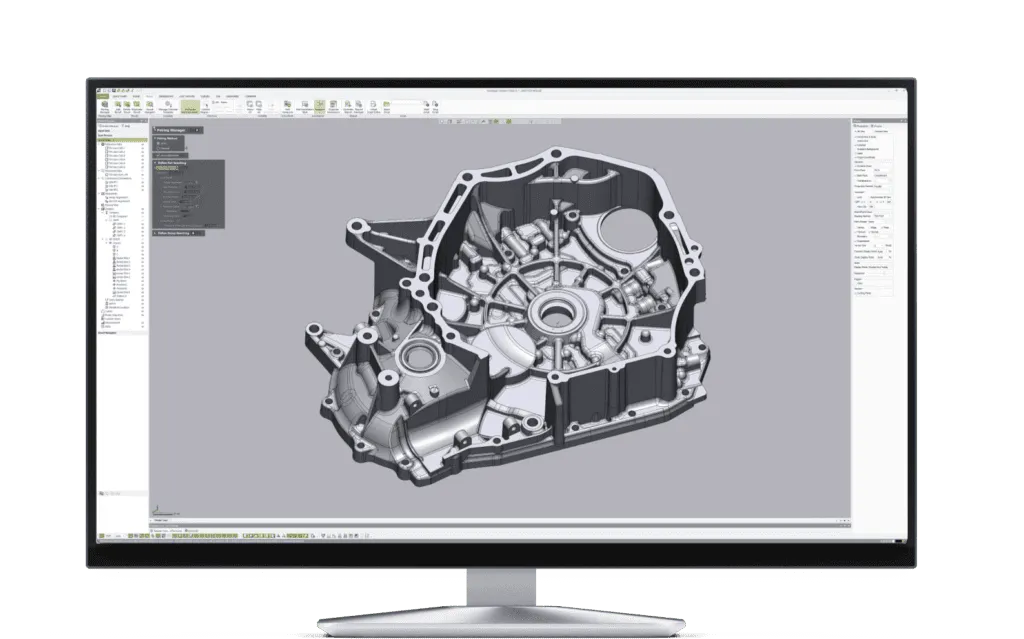
Geomagic Control X Essentials is an entry edition of Geomagic Control X, Hexagon’s 3D inspection and metrology software. It covers the core inspection workflow: import scan data and a neutral CAD file, align them, compare them in 3D and 2D, add GD&T and dimensions, and produce a report.
Hexagon sells two Essentials editions. Essentials works with scan files you import. Essentials Connect adds direct control of supported 3D scanners and portable CMMs, so you can capture data live inside the software. Both run on the same Control X software as the full Professional edition.
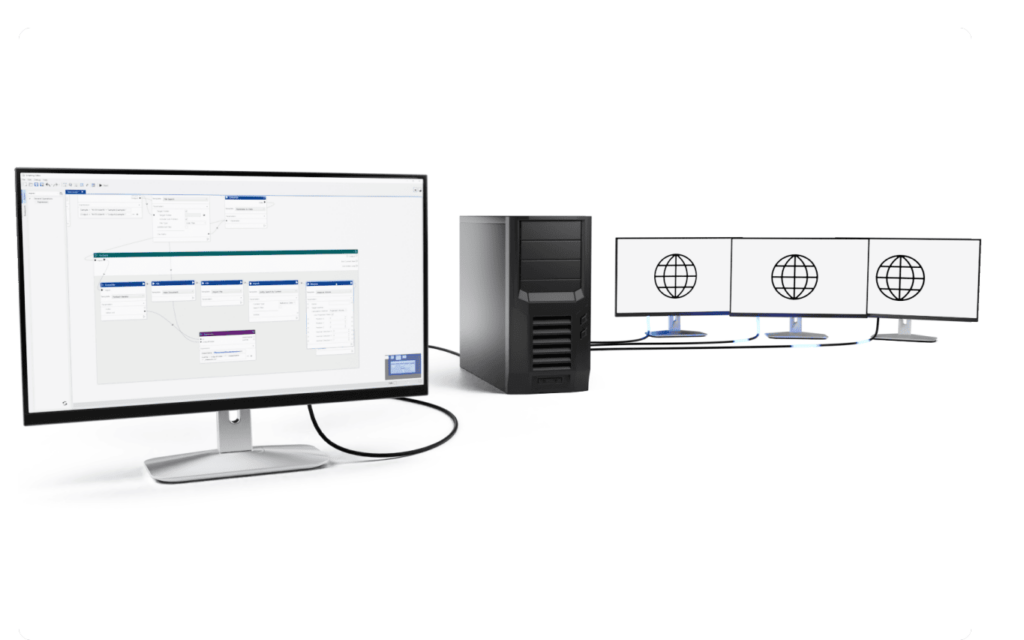
Since release 2025.1, the Automation Server is included in Essentials and Essentials Connect, so repeat inspections can run across server and client PCs. The current release is Control X 2026.1, from Hexagon, which acquired the Geomagic software business from 3D Systems in April 2025.
What is included
Essentials and Essentials Connect include these Control X tools, according to Hexagon's edition comparison.
Import and export neutral CAD (IGES, STEP and similar) and neutral scan files (STL, PTS and similar). Scan, mesh and region tools such as merge, fill holes and noise filtering are included.
Initial alignment, best fit, RPS, datum, 3-2-1, coordinate and transform alignments. Essentials Connect adds adaptive and homing alignment.
Color-map 3D Compare against CAD or another scan, 2D compare on sections, compare points and geometry deviation.
All 2D and 3D GD&T tools, plus reference geometry such as vectors, planes and points. See how GD&T works on scan data.
The full set of Control X report tools for single-result inspections. Read our FAI workflow guide.
Replace the measured data to rerun an inspection on the next part, and use the Automation Server to process jobs across server and client PCs.
Essentials Connect
Essentials Connect is the Essentials edition for teams that scan or probe at the inspection station. It adds the Control X device tools to everything in Essentials.
Automation
From release 2025.1, Hexagon includes the Automation Tool (server and client) in Essentials and Essentials Connect. Define an inspection once, then let it run on new measured data.
More in our guide to automated 3D inspection.
How it works
Import scan files and a neutral CAD model, or scan live with Essentials Connect.
Best fit the scan to CAD, or align on datums, RPS points or a 3-2-1 setup.
Run 3D and 2D compare, then add dimensions and GD&T.
Build the report, then replace the measured data for the next part.
Editions
Essentials and Essentials Connect are entry editions of Geomagic Control X. They share the core alignment, compare, GD&T and reporting tools with Control X Professional. The differences are device control, native CAD import, advanced analysis and automation.
| Feature | Professional | Essentials Connect | Essentials |
|---|---|---|---|
| Neutral CAD and scan import/export IGES, STEP, STL, PTS and similar | Included | Included | Included |
| Native CAD and scan data, PMI import Also ASCII geometry import | Included | Not included | Not included |
| 3D compare, 2D compare, compare points, geometry deviation | Included | Included | Included |
| Boundary, virtual edge, silhouette and curve deviation Plus plots | Included | Not included | Not included |
| Airfoil, 2D twist and Deviation Location | Included | Not included | Not included |
| GD&T (2D and 3D) and report tools | Included | Included | Included |
| Initial, best fit, RPS, datum, 3-2-1, coordinate and transform alignment | Included | Included | Included |
| Adaptive and homing alignment | Included | Included | Not included |
| Scanner plug-ins and live device control LiveScan, LiveInspect, LiveGeometry, Move Device, probe sequences | Included | Included | Not included |
| Simulated CMM points | Included | Included | Not included |
| Repeatable inspection and Automation Server Replace Measured Data; Automation Server added to Essentials in 2025.1 | Included | Included | Included |
| Scan Process, Batch Process, Visual Scripting, Python scripting Plus Replace Reference Data | Included | Not included | Not included |
| Multi-result inspection Single-result inspection in every edition | Included | Not included | Not included |
| Advanced CAD tools Sew, split, offset, thicken, mirror, separate | Included | Included | Not included |
| Advanced curve tools Offset, project, fit spline, trim, extend, contour curve from 3D compare | Included | Not included | Not included |
Edition contents as published in Hexagon’s 2025 Geomagic Control X plan comparison. Hexagon calls the full edition Control X Professional. Not sure which one fits? Tell us your scanner and your parts and we will recommend an edition.
Compatibility
Essentials reads standard scan and neutral CAD files from any device. Essentials Connect adds direct control of the devices Hexagon lists for Control X.
Using a scanner from us? SCANOLOGY (formerly Scantech) scanners are on Hexagon’s Scanner Direct Control list for Control X, which Essentials Connect uses. Scans from Artec scanners come in through standard mesh files, such as STL, OBJ and PLY, exported from Artec Studio. Native CAD files (CATIA, Creo, NX, SOLIDWORKS, Inventor) and PMI need Control X Professional.
Technical specifications
Essentials runs on the same Geomagic Control X 2026.1 software, with the same requirements as published by Hexagon. Plan around the recommended configuration if you work with large or high-resolution scans.
Lowest supported configuration.
For large scan files and day-to-day production inspection.
Buying a workstation for scanning? Ask us before you order and we will check the spec.
Why buy from us
We sell, set up and support 3D scanners and inspection software together, so you have one team to call for the whole workflow.
We can arrange a free trial of Geomagic Control X Essentials so you can test it on your own scan data before you buy.
Training, technical support and updates are included with all software we sell.
Pair Geomagic Control X Essentials with a scanner we sell and set up, and keep one point of contact.
Not ready to buy? Our 3D inspection service measures parts for you.
Request a free trial, or talk to one of our engineers about which edition fits your parts and your scanner.
Already a Geomagic user? Renew your license or maintenance.
It is an entry edition of Geomagic Control X, Hexagon’s 3D inspection software. Essentials includes neutral CAD and scan import, alignment, 3D and 2D compare, GD&T, report tools, repeatable inspection and the Automation Server.
Yes. Hexagon’s 2025 edition comparison lists three Control X plans, Essentials, Essentials Connect and Professional, and the Control X 2026.1 release notes mark which new features are also available in Essentials and Essentials Connect.
Essentials works with scan files you import. Essentials Connect adds direct control of supported scanners and portable CMMs, with scanner plug-ins, LiveScan, LiveInspect, LiveGeometry, Move Device and probe sequences, plus simulated CMM points, adaptive and homing alignment, and extra CAD tools.
Native CAD and PMI import, boundary, edge, silhouette and curve deviation, airfoil, 2D twist and Deviation Location, multi-result inspection, Visual Scripting, Python scripting, Scan Process and Batch Process, and advanced curve tools. See the Control X Professional page.
No. Essentials and Essentials Connect import and export neutral CAD formats such as IGES and STEP. Native CATIA, Creo, NX, SOLIDWORKS and Inventor import, and PMI import, are part of Control X Professional.
Yes, within limits. Every edition can replace measured data to repeat an inspection, and since release 2025.1 the Automation Server is included in Essentials and Essentials Connect. Visual Scripting, Python scripting and Batch Process are Professional features.
Pricing is quoted. It depends on the edition (Essentials or Essentials Connect), the license type and maintenance. Contact us for a quote or request a free trial.
The same as Control X: a 64-bit Windows 10 or later PC with at least 8 GB of RAM, 30 GB of free disk space and an NVIDIA GPU with OpenGL 4.0 and 2 GB of VRAM. Hexagon recommends Windows 11, 32 GB of RAM or more and an NVIDIA RTX card with 4 GB of VRAM or more. Microsoft Office is required for the reporting tools.
Yes. We can arrange a free trial so you can test Control X Essentials on your own parts before you buy. Request a free trial.
Yes. Training, technical support and updates are included with all software we sell. Hexagon also publishes a free Control X Essentials training video series.