Scan and mesh essentials
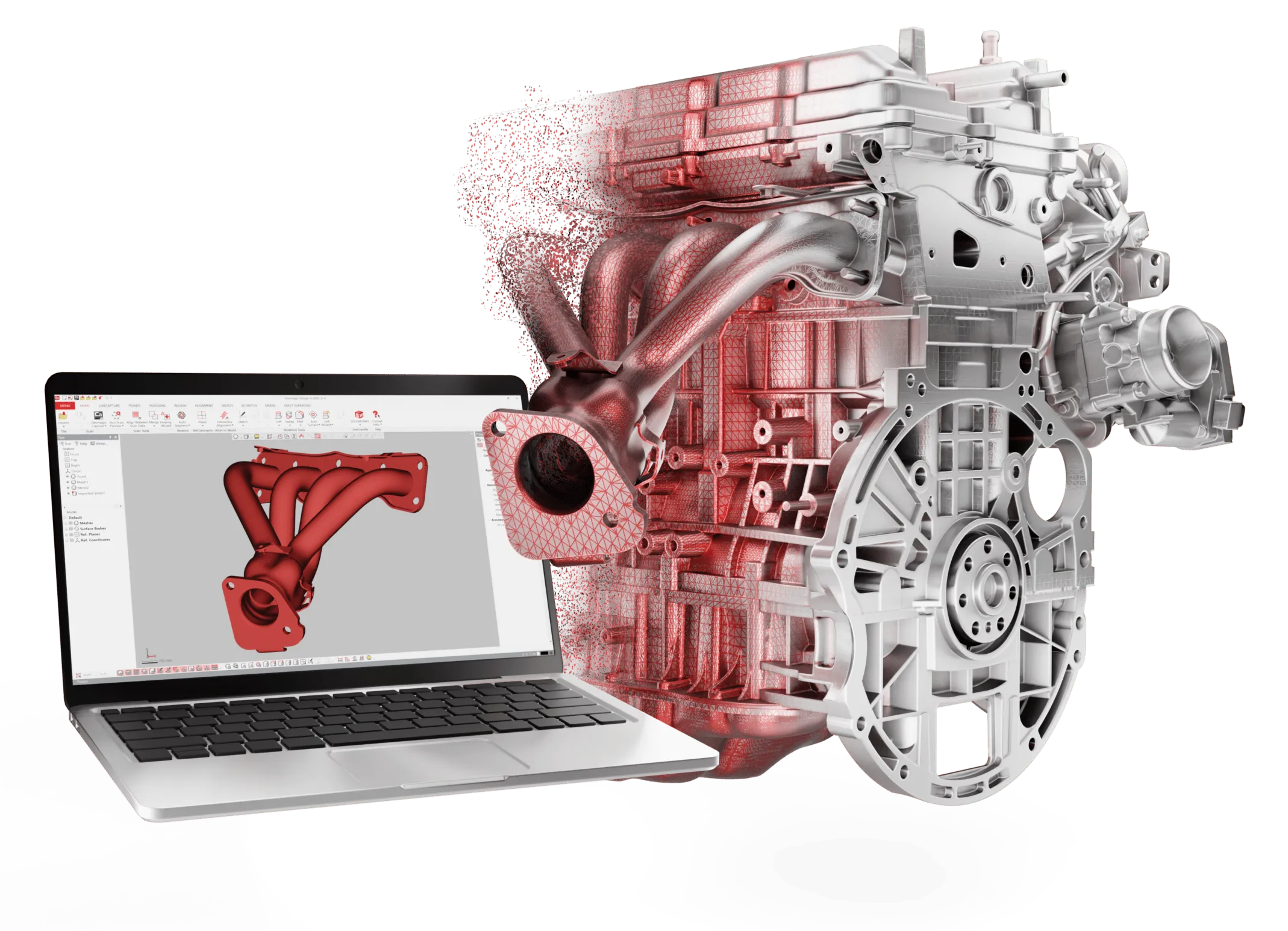
Triangulate, align between scans, merge, combine and decimate scan data. Heal meshes, fix normals, fill holes, smooth, remesh and split.

Limited-time offer: 20% off Geomagic Design X Go, on both perpetual and subscription licenses.
Geomagic Design X Go 2026
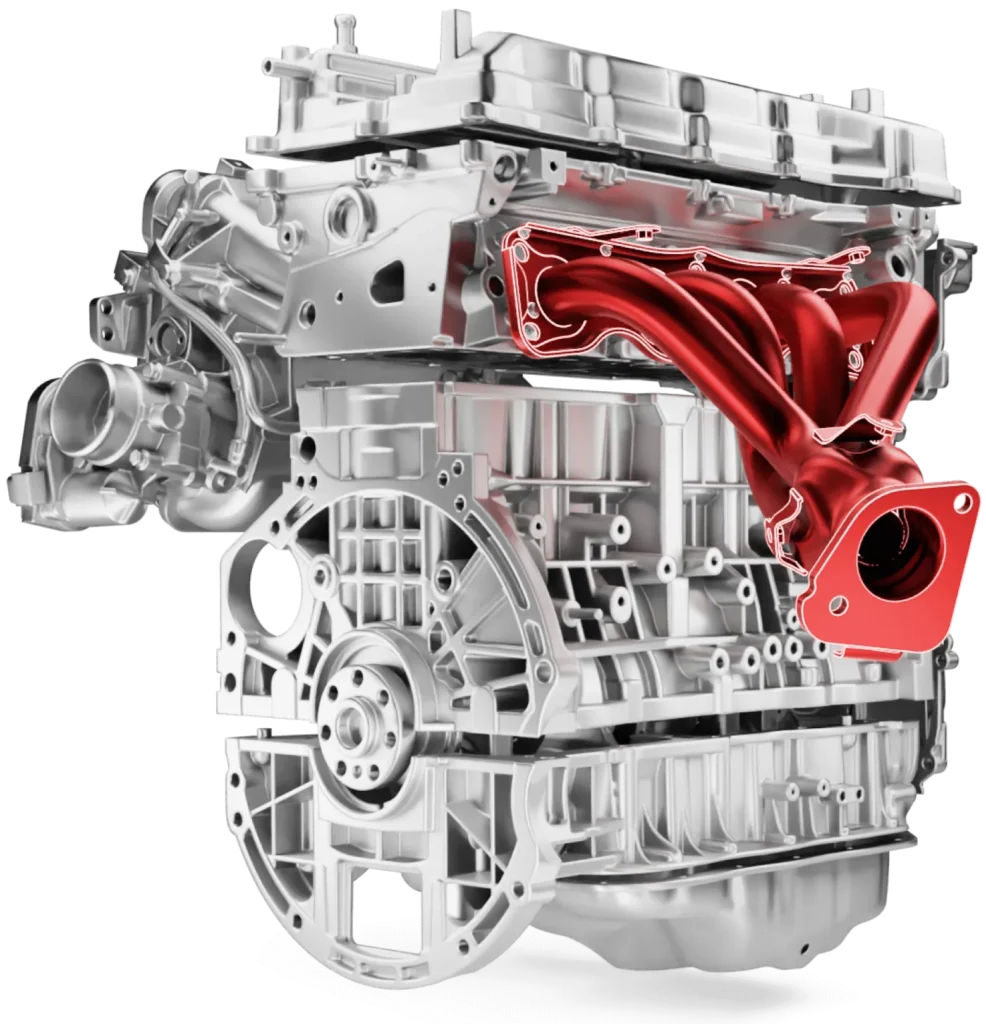
Geomagic® Design X™ is Hexagon’s reverse engineering software. It combines 3D scan processing with history-based CAD modeling, so you can turn a physical part into a feature-based, editable model that works with your other design software.
Design X Go is the entry plan. Hexagon describes it as the way to start reverse engineering parts with easy-to-use software. It includes the core solid and surface modeling tools, mesh healing and editing, interactive alignment, deviation checks and LiveTransfer to SOLIDWORKS, NX, Creo, AutoCAD and Inventor. It suits first-time users and teams modeling simpler parts.
What Go leaves out: native CAD import, the modeling wizards, advanced surfacing, arm and tracker control, probing and the advanced mesh tools. Those come with Plus and Pro. The current release is Geomagic Design X 2026.1.0.
What it does
Go covers the full basic scan-to-CAD workflow: clean up the scan, model the part, check it against the scan and send it to CAD.
Triangulate, align between scans, merge, combine and decimate scan data. Heal meshes, fix normals, fill holes, smooth, remesh and split.
Extrude, revolve, sweep and loft solids, cut and Boolean them, and add fillets and chamfers. Solid and surface primitives fit simple shapes fast.
Mesh Fit and Auto Surface (without selective surfacing), plus extrude, revolve, sweep, loft and reverse normal surfaces.
Mesh sketches and sketches with lines, arcs, splines, slots and ellipses, smart dimensions and constraints, and 3D splines and sections.
Interactive Alignment to set up your coordinate system, then deviation for body, mesh and sketches, plus distance, angle and radius measurements.
Send the model and its history to SOLIDWORKS, NX, Creo, AutoCAD or Inventor, or export STEP, IGES and DXF. Publish results to PDF.
CAD interoperability
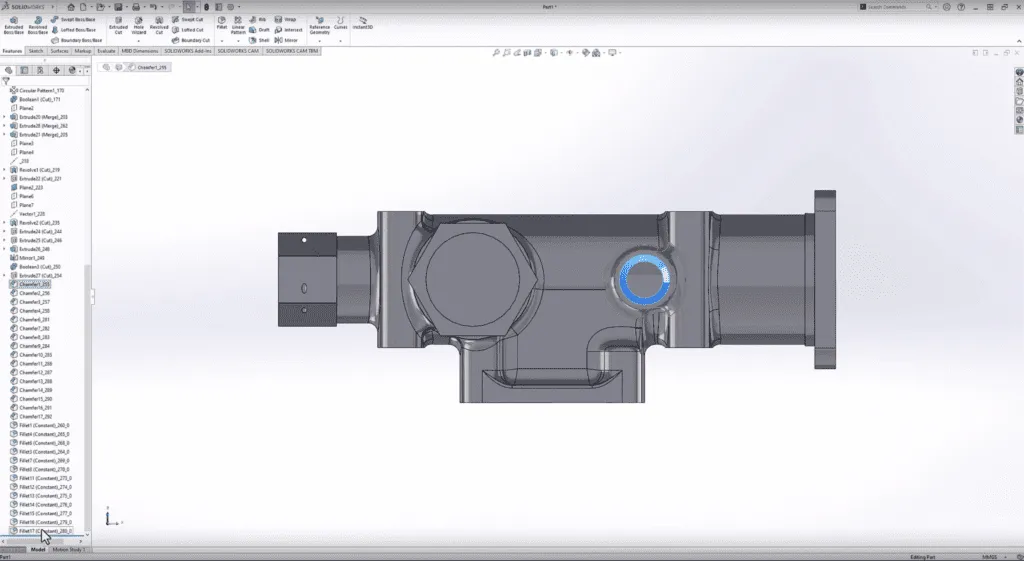
Every Design X plan includes LiveTransfer, which sends the model you built from the scan straight into your CAD system with the feature tree intact, so you are not rebuilding it.
Who Go is for
Go keeps to the tools a basic reverse engineering job needs, which makes it a practical first plan for new users and simpler parts.
Expect complex freeform surfaces, native CAD imports or arm and tracker work? Look at Plus or Pro.
2026.1.0
The 2026.1.0 release, from March 2026, improves several tools that are part of the Go plan.
How it works
Import a mesh or point cloud from any scanner, or capture with a supported handheld scanner directly in Design X.
Heal the mesh, fill holes, define regions and set the coordinate system with Interactive Alignment.
Sketch on the mesh, then extrude, revolve, sweep and loft solids, and add fillets and chamfers.
Compare the model to the scan for deviation, then LiveTransfer it to your CAD system or export STEP.
Go, Plus or Pro
Go, Plus and Pro share the same core: scan processing, history-based modeling, deviation checks and LiveTransfer. Go is the entry plan; Plus and Pro add tools and device support.
| Feature | Go | Plus | Pro |
|---|---|---|---|
| Neutral file import and export Point data (PTS), meshes (STL), scanner formats, STEP, IGES, DXF | Included | Included | Included |
| LiveTransfer to CAD SOLIDWORKS, NX, Creo, AutoCAD, Inventor | Included | Included | Included |
| Native CAD and Parasolid import ACIS, CATIA, Creo, NX, SolidWorks, Inventor, VDA-FS, Rhino, JT, Solid Edge | Not included | Not included | Included |
| Parasolid, Leica, KeyShot and native CAD export Native export: ACIS, CATIA | Not included | Not included | Included |
| Core solid modeling Extrude, Revolve, Sweep, Loft, Cut, Boolean, Fillet, Chamfer, primitives | Included | Included | Included |
| Solid Offset, Shell, Thicken Surface | Not included | Included | Included |
| Draft, patterns, Mirror, Transform Body, Delete Face | Not included | Included | Included |
| Mesh Fit and Auto Surface Without selective surfacing | Included | Included | Included |
| Selective Auto Surface, Surface Offset, Fill Face, Trim and Sew | Not included | Included | Included |
| Fit Surface Patches, Boundary Fit, Solidify | Not included | Not included | Included |
| Modeling wizards Extrusion, Revolution, Sweep, Loft and Pipe wizards | Not included | Not included | Included |
| Scanner direct control: handheld and portable scanners Hexagon/ZG handheld, Creaform, Konica Minolta Range, Shining 3D, eviXscan, Scantech DefinSight and Tviewer | Included | Included | Included |
| Scanner direct control: arms, trackers and structured light Hexagon Absolute Arm, Romer, FARO Cobalt, Leica T-Probe, T-Scan and AT960, Aicon and more | Not included | Included | Included |
| Probing LiveAlign, LiveCapture, LiveModel, LiveGeometry | Not included | Included | Included |
| Core mesh tools Healing Wizard, Fix Normal, Global Remesh, Fill Holes, Smooth, Split, Offset | Included | Included | Included |
| Edit Boundaries, Defeature, Trim, Shrink Wrap | Not included | Included | Included |
| Advanced mesh and point cloud tools Rewrap, Virtual Rescan, Optimize Mesh, Smart Brush, Construct Mesh, Auto Segment | Not included | Not included | Included |
| Texture tools and batch scan processing Process Designer, Run Scan Process, Batch Process | Not included | Not included | Included |
| Interactive Alignment | Included | Included | Included |
| Quick Fit, Best Fit, Datum Match, Align Wizard Plus target and sphere registration | Not included | Not included | Included |
| Accuracy Analyzer Body, mesh and sketch deviation in every plan; full analyzer in Plus and Pro | Deviation | Included | Included |
| AutoSketch, Find Defect, Refit and add-ins | Not included | Not included | Included |
| Vendor support Email, installation and licensing support, Knowledge Base access | Included | Included | Included |
| Phone, remote session and workflow support Case response in 1 business day (Go: 3 business days) | Not included | Included | Included |
Summary of Hexagon’s 2026 Geomagic Design X plan comparison. Download the full comparison below, or compare the Go, Plus and Pro pages. Not sure which plan fits? Tell us about your parts and scanner and we will recommend one.
Compatibility
Go works with scan data from any scanner through neutral formats, and it can control many handheld scanners directly.
Using a scanner from us? Scantech’s DefinSight and Tviewer software are on the direct-control list in every Design X plan, which covers SCANOLOGY (Scantech) scanners. Scans from Artec scanners come in as standard mesh or point cloud files exported from Artec Studio, and Design X works with data from any scanner this way.
Technical specifications
Requirements for Geomagic Design X 2026.1.0, as published by Hexagon. They are the same for Go, Plus and Pro. Large scans are demanding, so plan around the recommended configuration.
Hexagon's minimum supported configuration.
For large meshes and point clouds.
Buying a workstation for scanning? Ask us before you order and we will check the spec.
Why buy from us
We sell, set up and support 3D scanners and reverse engineering software together, so you have one team to call for the whole scan-to-CAD workflow.
Training, technical support and updates are included with all software we sell.
We can arrange a free trial of Geomagic Design X Go so you can test it on your own scans before you buy.
Pair Design X with a scanner we sell and set up, and keep one point of contact.
Not ready to buy? Our reverse engineering service turns your parts into CAD for you.
Request a free trial, or tell us about your parts, your scanner and the CAD system you use and we will confirm the right Geomagic Design X plan.
Already a Geomagic Design X user? Contact us about renewing your license.
Go is the entry plan of Geomagic Design X, Hexagon’s reverse engineering software. It includes the core tools to turn 3D scan data into feature-based, editable CAD models and send them to your CAD system with LiveTransfer.
First-time users and teams reverse engineering simpler parts. If you mostly model prismatic or revolved parts and work in SOLIDWORKS, NX, Creo, AutoCAD or Inventor, Go covers the workflow.
Plus adds Solid Offset, Shell and Thicken, selective Auto Surface, surface trimming and sewing, draft and patterns, direct control of arms, trackers and structured light scanners, probing, the full Accuracy Analyzer, and phone, remote and workflow support. Pro adds native CAD import, the modeling wizards, advanced mesh and point cloud tools, Auto Segment, texture tools and batch scan processing. See the plan comparison above.
Yes. Go imports neutral point data, meshes and scanner formats from any scanner. It can also control many handheld scanners directly, including Hexagon/ZG, Creaform, Shining 3D and Scantech (DefinSight and Tviewer). Direct control of arms, laser trackers and structured light scanners needs Plus or Pro.
Yes. LiveTransfer is in every plan, including Go. It supports SOLIDWORKS (including SOLIDWORKS 2026), NX, Creo, AutoCAD and Inventor.
Go imports and exports neutral CAD formats such as STEP and IGES, plus DXF. Importing native files from CATIA, Creo, NX, SolidWorks, Inventor and other systems, and Parasolid, needs Geomagic Design X Pro.
Version 2026.1.0, released in March 2026, adds a more flexible Split Mesh tool, faster Fill Holes, LiveTransfer support for SOLIDWORKS 2026, a new ZG handheld scanner plug-in, Scantech DefinSight support, and an updated licensing system.
Hexagon. Hexagon completed its acquisition of the Geomagic software suite from 3D Systems in April 2025, and Geomagic Design X is now developed and supported within Hexagon’s Manufacturing Intelligence division. Older material may still show the 3D Systems or Oqton names.
Pricing is quoted. It depends on the plan (Go, Plus or Pro), the options you need and the license type. Contact us for a quote or request a free trial.
A 64-bit Windows 10 or later PC. Hexagon’s minimum for version 2026.1.0 is an Intel or AMD 64-bit processor, 8 GB of RAM, 30 GB of free disk space and an NVIDIA GPU with OpenGL 4.0 and 2 GB of VRAM. Hexagon recommends Windows 11, a recent Core i7/i9 or Ryzen 7/9, 32 GB of RAM or more, an SSD and an NVIDIA RTX card with 4 GB of VRAM or more. The requirements are the same for every plan.
Yes. Training, technical support and updates are included with all software we sell. From Hexagon, Go includes email support, installation and licensing support and Knowledge Base access, with case response in three business days.