QuickSurface

QuickSurface

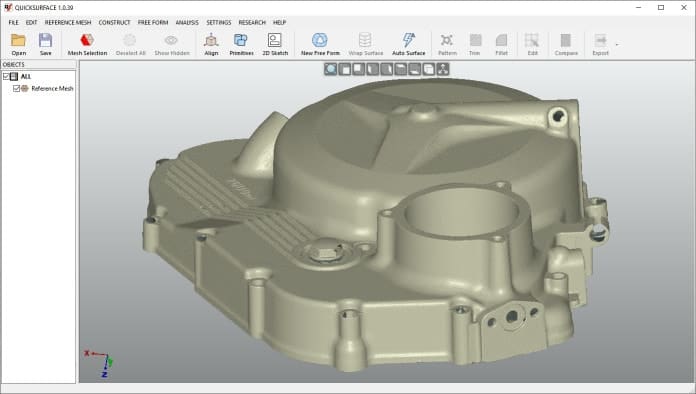
QuickSurface is a comprehensive Scan-to-CAD software designed to effortlessly transform 3D scan meshes from various 3D scanners into CAD models.

This powerful tool simplifies the digitized data conversion process with a range of user-friendly yet robust features.

  • Load data from any scanner using the industry standard STL, OB or PLY mesh files
  • Reconstruct quickly planes, cylinders, cones and spheres
  • 3D Sketching, Advanced Lofting, and Sweep Surfacing
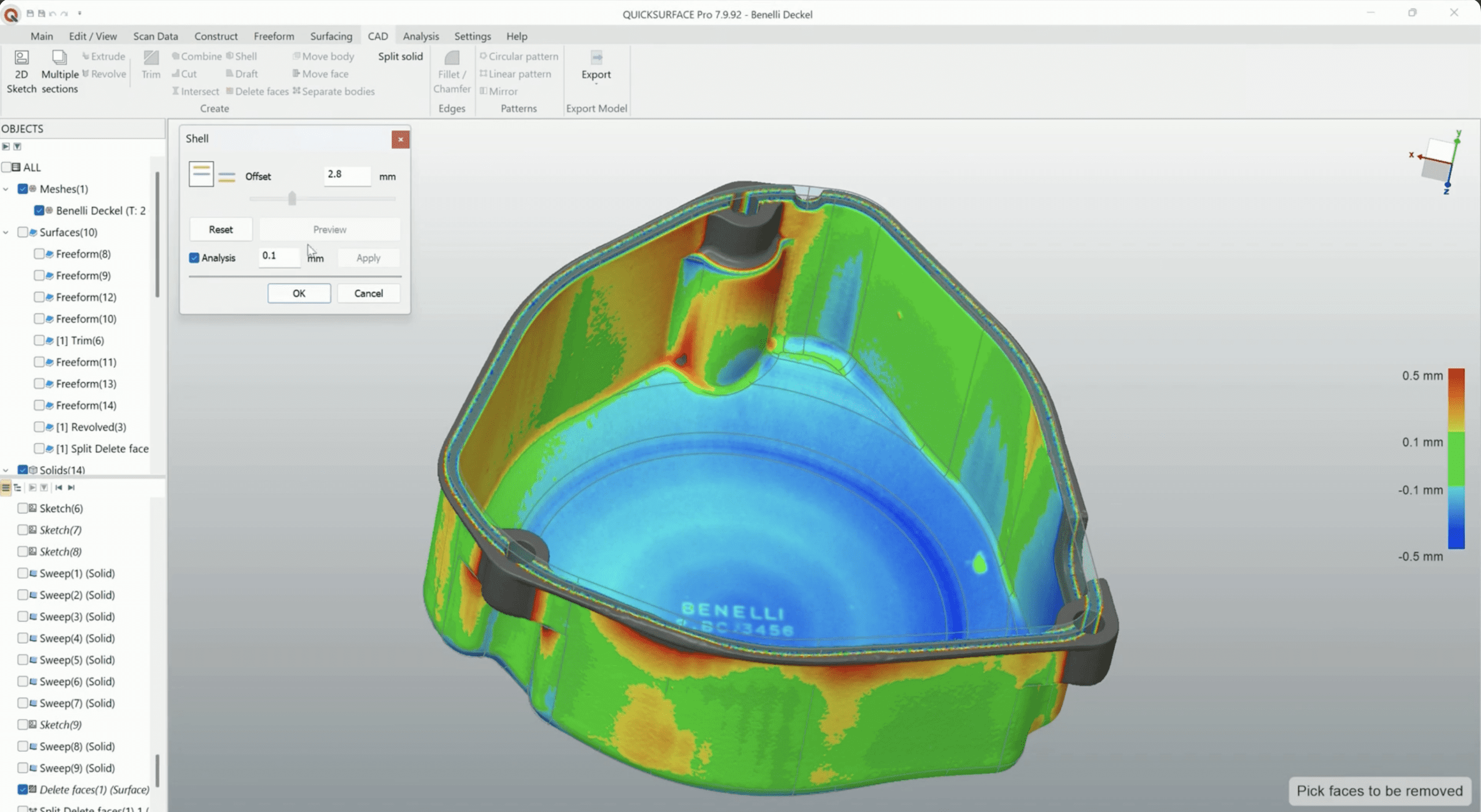
  • Enhanced Thickening & Shelling
  • Live Deviation Analyzer

Categories: ,

Free Trial and exclusive promos with registration

Free Demo with instant booking and a special offer for participation

QuickSurface: Simplifying Scan-to-CAD Conversion and Modeling

QuickSurface 2026 brings a powerful evolution to Scan-to-CAD workflows, combining enhanced stability, speed, and accuracy for even the most complex reverse-engineering tasks. Now powered by the Siemens Parasolid modeling kernel, it delivers greater reliability and advanced CAD functionality, all within QuickSurface’s familiar, user-friendly interface – making it a smart upgrade for professionals.

CAD-Ready Data Import and Intuitive Interaction with QuickSurface

QuickSurface facilitates a streamlined import process, supporting a wide range of 3D scanners and enabling users to effortlessly load scan data from industry-standard STL, OBJ, or PLY mesh files. It also accommodates long-range scanners by importing data in the PTX file format. QuickSurface’s 64-bit architecture ensures that meshes of any size can be loaded while maintaining detail. Furthermore, the software offers an intuitive interaction experience with selection tools like the magic wand, brush, and freeform selection. These tools simplify the extraction of areas of interest from scan data, allowing users to swiftly identify features or freeform surfaces, thereby enhancing the digitization process.

Efficient Geometry Extraction and Symmetry Alignment

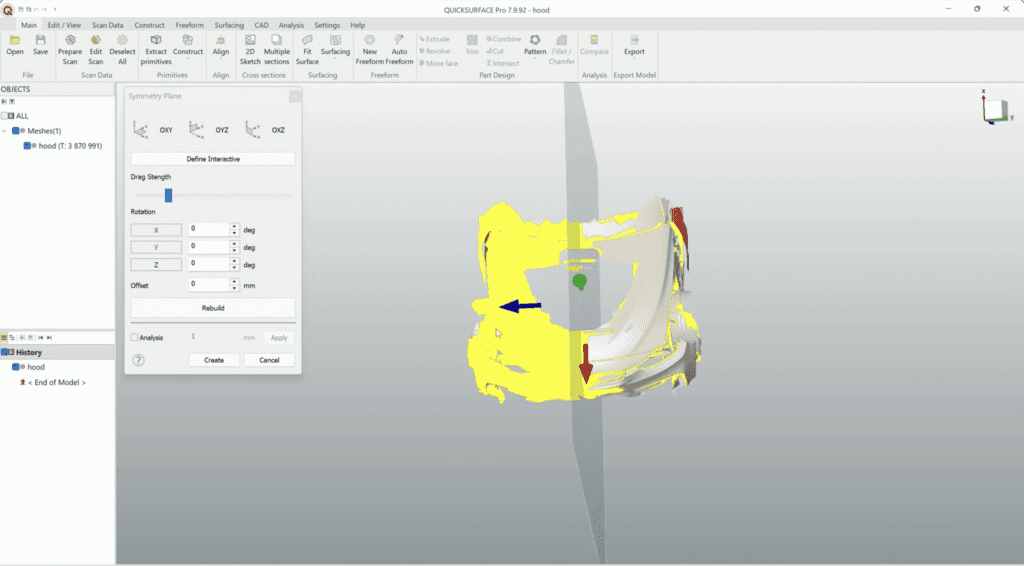
QuickSurface streamlines the extraction of geometric primitives such as planes, cylinders, cones, and spheres while allowing users to define critical relationships like perpendicularity, parallelism, and coincidence. Reference geometries like lines and points can also be created to support accurate alignment within the world coordinate system. With the new Selection-Based Symmetry Plane feature, users can now define symmetry based on specific geometry selections, enabling compensation for real-world scan imperfections while preserving critical precision in symmetric designs. This builds on QuickSurface’s existing tools for detecting and refining symmetry planes, ensuring more reliable and flexible positioning. Extracted primitives can be used to align objects seamlessly with the coordinate system, supported by intuitive, interactive orientation controls for precise adjustments.

Versatile Modeling Capabilities in QuickSurface

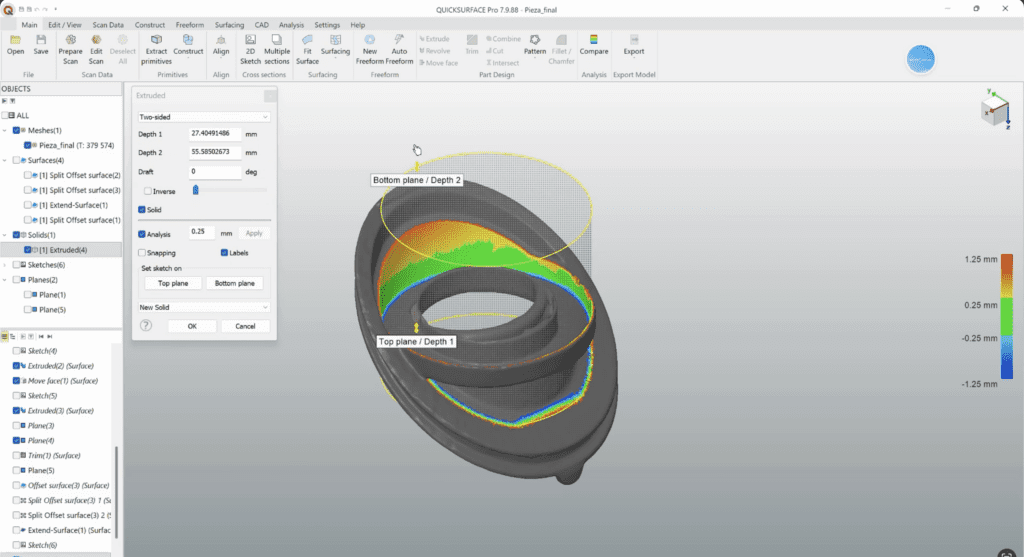
flexible alignment of section planes to extracted primitives, CAD faces, or on-screen placement. Users can build freeform geometry using 3D sketching, lofting, and sweep surfacing, while real-time deviation analysis ensures accuracy throughout the modeling process. The new Draft & Move Face Tools allow for quick manufacturability adjustments, such as adding draft angles or repositioning faces, directly on the model with precision and ease. Combined with automatic surfacing, hybrid parametric modeling, and compatibility with standard formats like STEP and IGES, QuickSurface integrates seamlessly into any professional CAD workflow.

From initial scan to final model, ensure each step is impeccable. Discover our 3D software range and elevate your design process.

Experience the power of QuickSurface for yourself. Start a free trial today and discover how this industry-leading software can transform your 3D scanning and data processing workflows. Get started now!

Why Choose QuickSurface?

1

Streamlined Scan Data Import

QuickSurface simplifies the import of scan data from a variety of 3D scanners, supporting common file formats like STL, OBJ, and PLY. This versatile software even accommodates long-range scanners with PTX file compatibility, ensuring a smooth data import process.

2

Intuitive Interactive Tools

QuickSurface enhances user experience with interactive selection tools such as the magic wand, brush, and freeform selection. These tools streamline the extraction of areas of interest within scan data, making feature identification and digitization effortless.

3

Efficient Geometry Extraction

QuickSurface excels in the rapid extraction of primitives, enabling the quick reconstruction of planes, cylinders, cones, and spheres. Users can establish relationships between these primitives, ensuring precision through perpendicularity, parallelism, and coincidence. Additionally, the software empowers users to create reference geometries for precise alignment within the world coordinate system.

From initial scan to final model, ensure each step is impeccable. Discover our 3D software range and elevate your design process.

Experience the power of QuickSurface for yourself. Start a free trial today and discover how this industry-leading software can transform your 3D scanning and data processing workflows. Get started now!

Frequently Asked Questions

QuickSurface is a 3D reverse engineering software that converts 3D scanner data into CAD models. It boasts an intuitive user interface and aims to make the reverse engineering process as streamlined as possible.

Yes. QuickSurface emphasizes interactive modeling, allowing users to manipulate and refine scanned meshes to fit CAD features directly. This hands-on approach ensures precision and user control over the modeling process.

QuickSurface offers advanced noise suppression tools. It can intelligently smooth out and reduce noise from 3D scanned data while preserving sharp edges and fine details, ensuring the creation of accurate and high-quality CAD models.

Yes. QuickSurface can export models in popular CAD formats like IGES, STEP, and more. This ensures that the CAD models created in QuickSurface can be seamlessly integrated into various other CAD/CAM systems.

QuickSurface emphasizes simplicity without sacrificing precision. With its unique balance between automated and manual tools, users can achieve optimal results without facing a steep learning curve. It combines freeform and parametric modeling methodologies, offering flexibility based on the user’s needs.